What you'll end up with
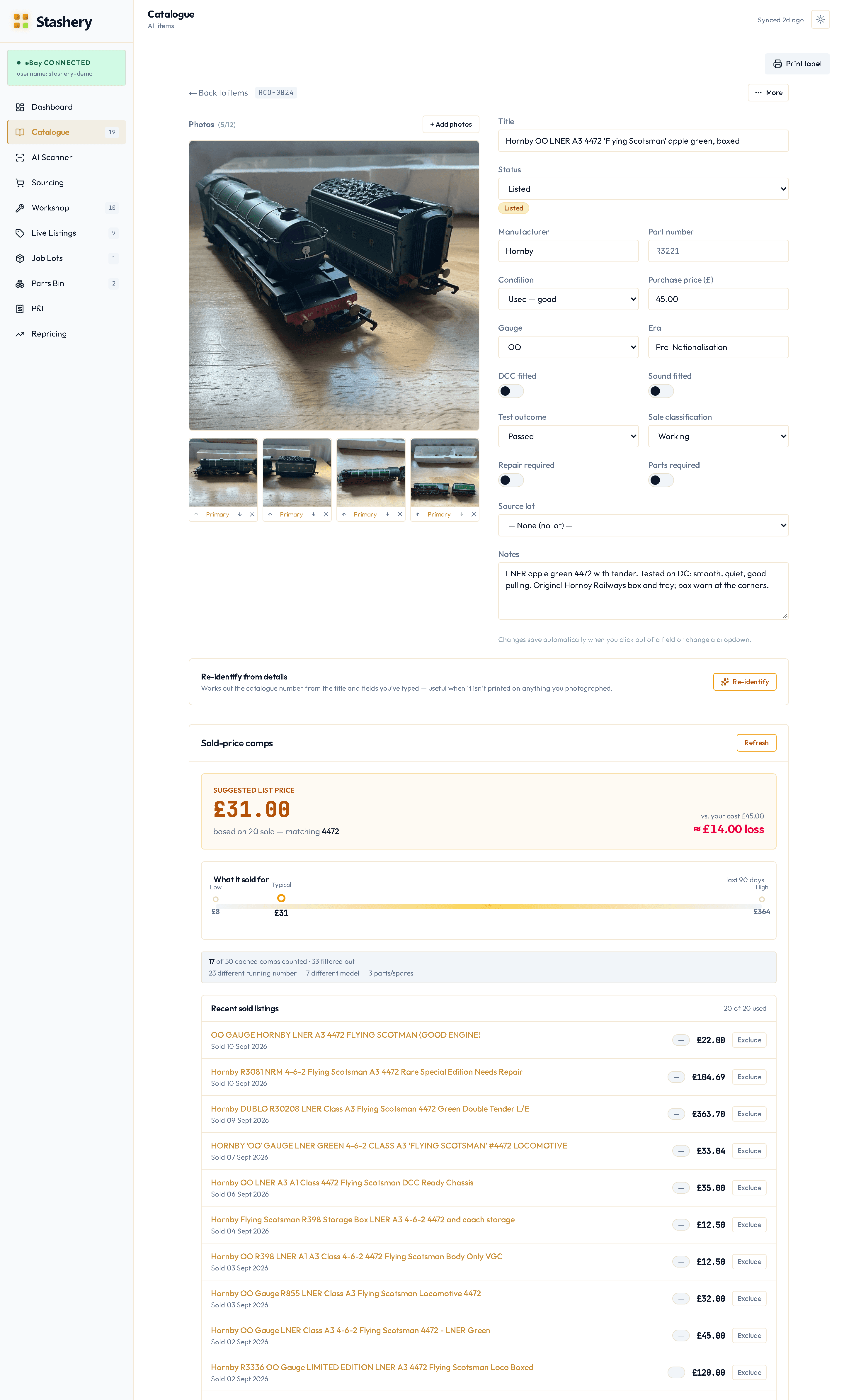
For any item with a manufacturer and catalogue number, a Sold-price comps panel showing what the same model actually sold for on eBay recently, a suggested list price with eBay's fees and your postage already taken off, and — if you've entered a purchase price — the profit you'd make at that price.
Across your whole stock, the Repricing page (in the sidebar, on the Hobby and Pro plans) lists every live listing whose price is out of step with its comps, so you can reprice the ones that matter in one sitting.
Steps
- Open an item. The comps panel is on the right (website) or below the photos (app).
- Opening an item never fetches anything. The panel shows the sales Stashery already has for that model. If nothing has ever been fetched for it, you'll see "No sold prices fetched for this model yet" and a Get sold prices button, with how many of this month's lookups you've used beside it ("3 of 20 used this month", say).
- Press Get sold prices once. Stashery searches eBay's sold listings for that model and shows the results in a few seconds. From then on the saved sales are shown whenever anyone opens an item of that model, and Refresh tops them up with newer ones.
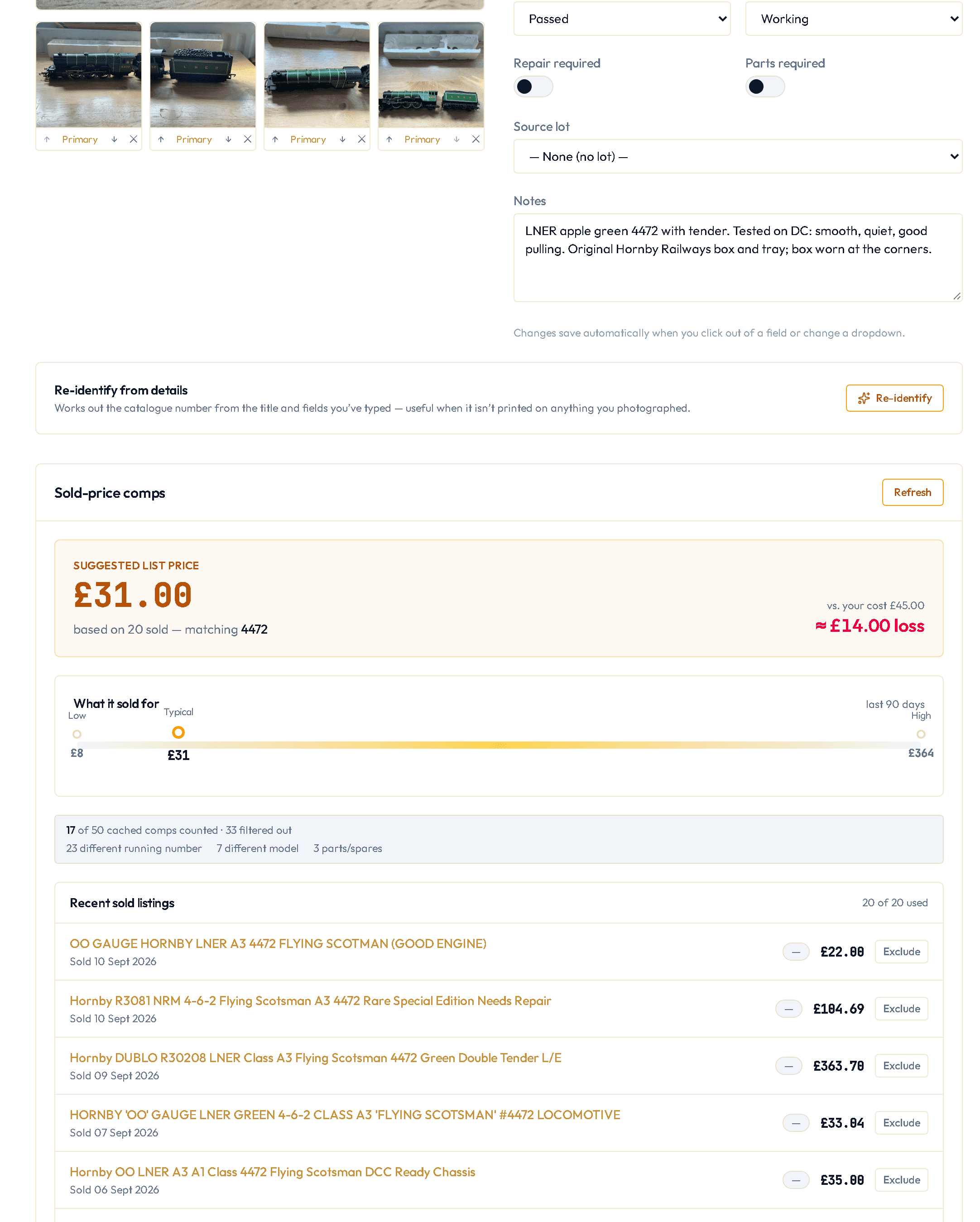
- Read the panel: the suggested list price and how many sales it's based on; What it sold for, the range of real sales; and, if you've set a purchase price, the profit at that price.
- Under the sales, the panel says how many were counted and how many were filtered out, and why (wrong model, job lot, spares), so you can see how the suggestion was reached.
- If the comps look wrong for the model, check the item's catalogue number — that's the key Stashery searches by.
- Press Refresh only if you think the market has moved. Stashery keeps the sales it has already found and tops up with newer ones; it doesn't throw the old ones away.
What you'll see
The suggested price is net: it starts from the median sale price and removes eBay's final-value fee, the regulatory fee, and the postage you charge, using the fee model for your account type (private or business). The panel says which it's using. If you've told Stashery your purchase price, the profit is shown in pounds, not just a percentage. The footer says when the market data is from, and whether it's saved or just fetched.
If something goes wrong
- "Add a manufacturer or catalogue number to see comps."
- The item has neither. Stashery won't search on a brand alone — "Hornby" would pool a Flying Scotsman with a wagon and give you a confidently wrong number. Add the catalogue number (or use Re-identify to find it).
- "Allowance used up" or "Sold-price lookups aren't included on your plan".
- You've used this month's lookups, or your plan doesn't include them. Any comps already saved for the model still show.
- The comps are for the wrong model.
- Nearly always the catalogue number. Check it against the box or the underside. Coaches and wagons without a class are matched on their type (brake van, Mk1 coach) and running number where the title has one.
- Only two or three sales, and the price looks low or high.
- Thin pools happen for rare models. The panel tells you how many sales it's working from; treat a suggestion from fewer than five with judgement.
- A sale I know about isn't in the list.
- eBay's sold data reaches back about 90 days; older sales won't appear. If it's recent and missing, the title probably didn't contain the catalogue number.