What you'll end up with
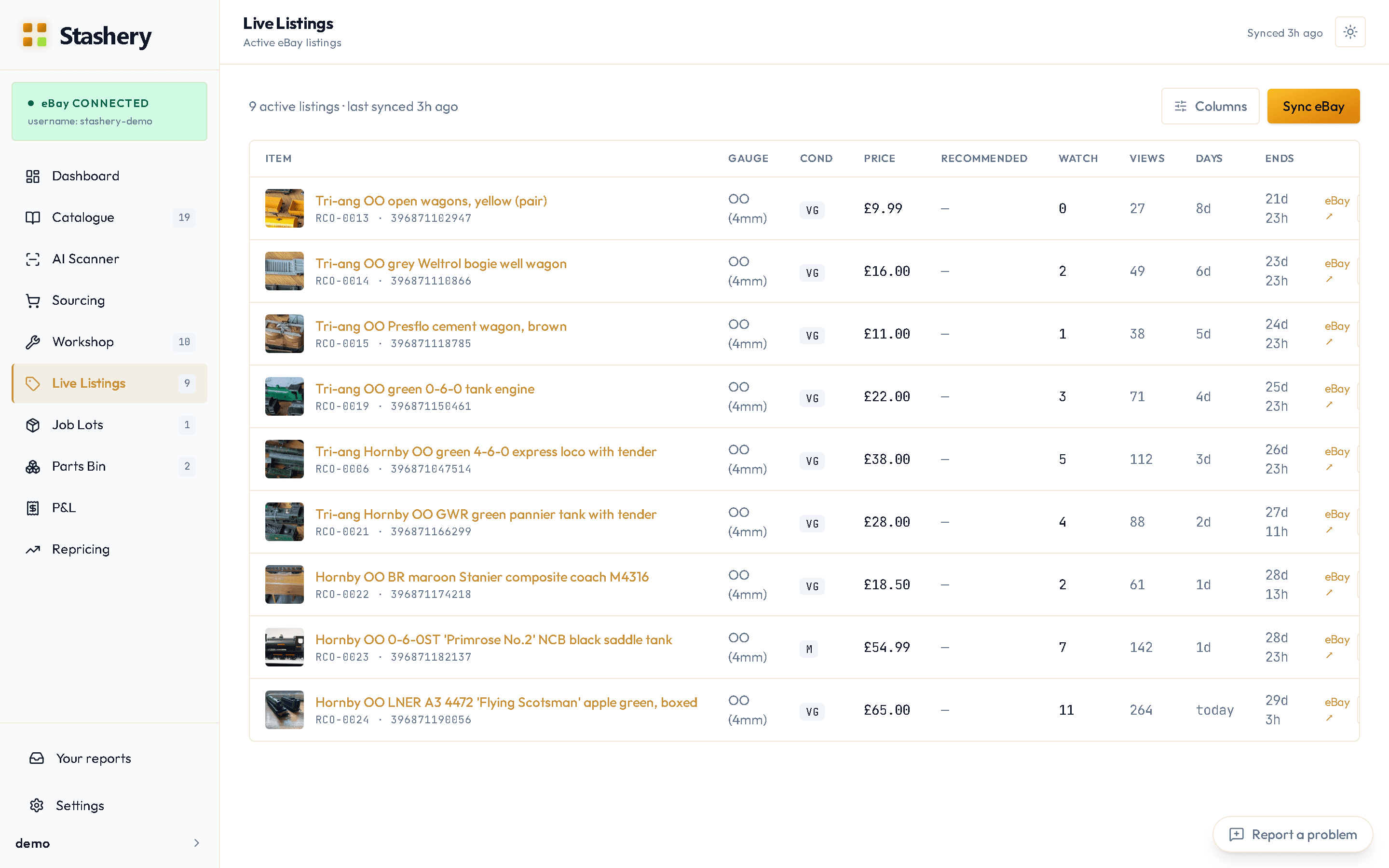
Live Listings matching eBay exactly: sold items marked sold with the sale recorded, ended listings marked ended, prices and watcher counts current. Items that sold move out of the Catalogue's "Listed" filter and into Sold, and their sale appears in your P&L.
Steps
- Open Live Listings.
- Press Sync eBay (it's on the Dashboard too). Stashery asks eBay for the current state of every listing it knows about. A hundred listings takes a few seconds.
- Read the summary: how many updated, how many sold, how many ended.
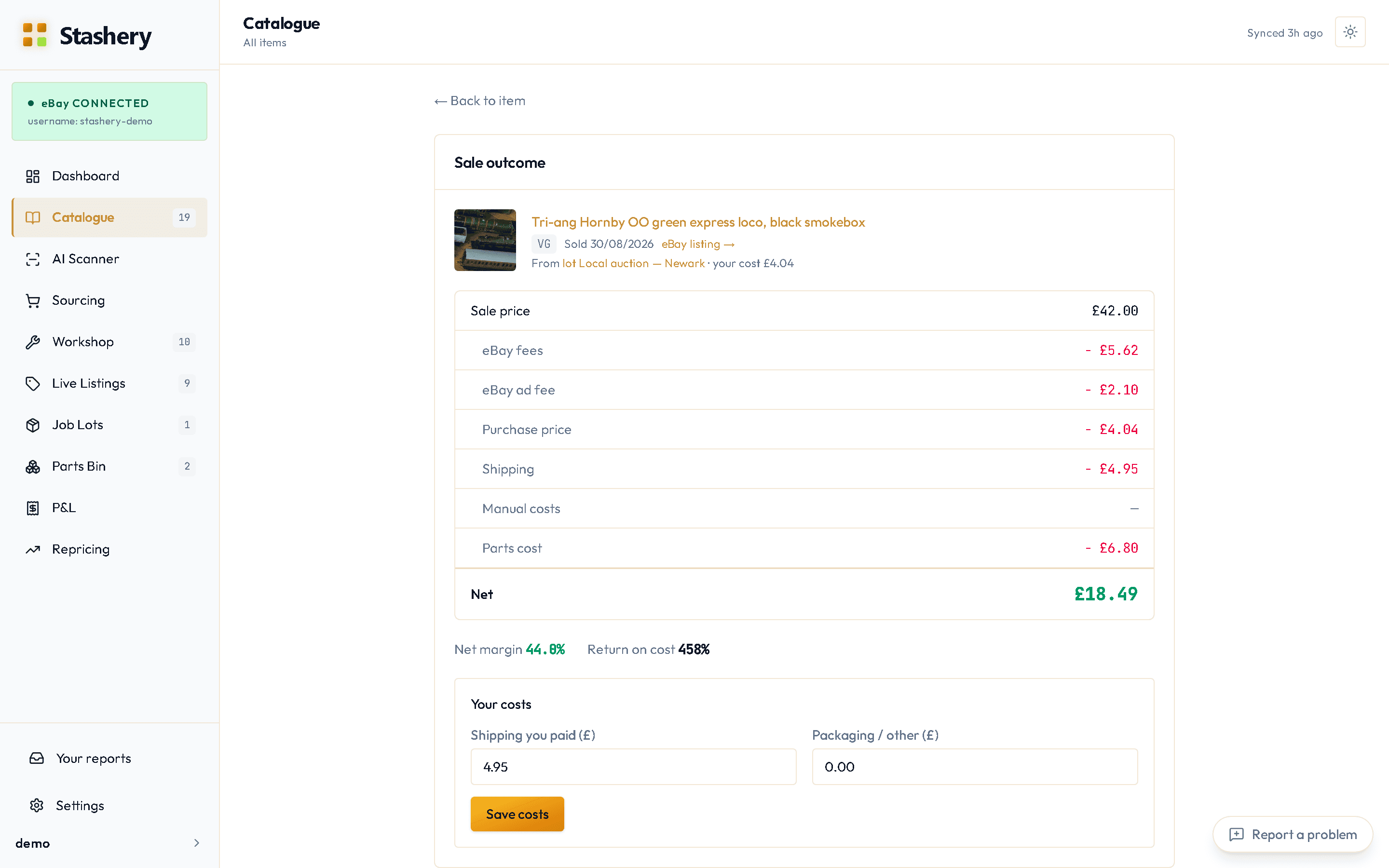
- For anything that sold, open the item — the Sale outcome screen has the sale price and eBay's fees filled in from eBay, and asks you for the postage you actually paid so the net is right.
- Do this whenever you've been active on eBay directly — after a weekend of sales, or after relisting things. Stashery also syncs by itself when you open the app, if the last sync was more than 15 minutes ago — so after a weekend away the first screen you see is already current.
What you'll see
The Dashboard picks up sold items in its revenue and profit charts, and the Sold column in the Catalogue grows. If the listing had a video or promoted-listing ad fees, those come through from eBay too.
If a buyer returns it
From v0.8.0 (on Beta now). When a buyer opens a return, press Return opened on the item's card in the Workshop's Posted or Received column. The card moves to a Returning column until it's sorted.
When it comes back, press Record and answer two questions: Where is the train? (back with me, fine; back with me, damaged; buyer kept it; lost in the post) and Money (full refund, partial refund or no refund). The refund comes off your figures: the Dashboard's net is after refunds, and the sale shows as Refunded.
If the train is back with you, press Relist to put it on the board to sell again — in Ready to List, or in In Test if it came back damaged, so it gets checked first.
If something goes wrong
- A listing shows as live but ended on eBay (or the other way round).
- Press Sync. If it's still wrong afterwards, open the item and use View on eBay to check which is right, then report it — a mismatch after a sync is something we want to see.
- An item sold but the sale isn't in the P&L.
- Open the item and check Sale outcome has been completed — the P&L waits for the postage figure so it never shows a net that's wrong.
- The sidebar count doesn't match the page.
- Refresh the page. The counts are cached briefly and catch up on the next page load.
- Sync says "reconnect required".
- eBay wants a fresh permission. Settings › eBay → Reconnect, then sync again.