What you'll end up with
A live eBay listing created from the item — photos, title, condition, category, item specifics, price, postage policy, parcel size and weight — and the item marked Live in your Catalogue with a View on eBay link. From then on Stashery tracks the listing in Live Listings and records the sale when it happens.
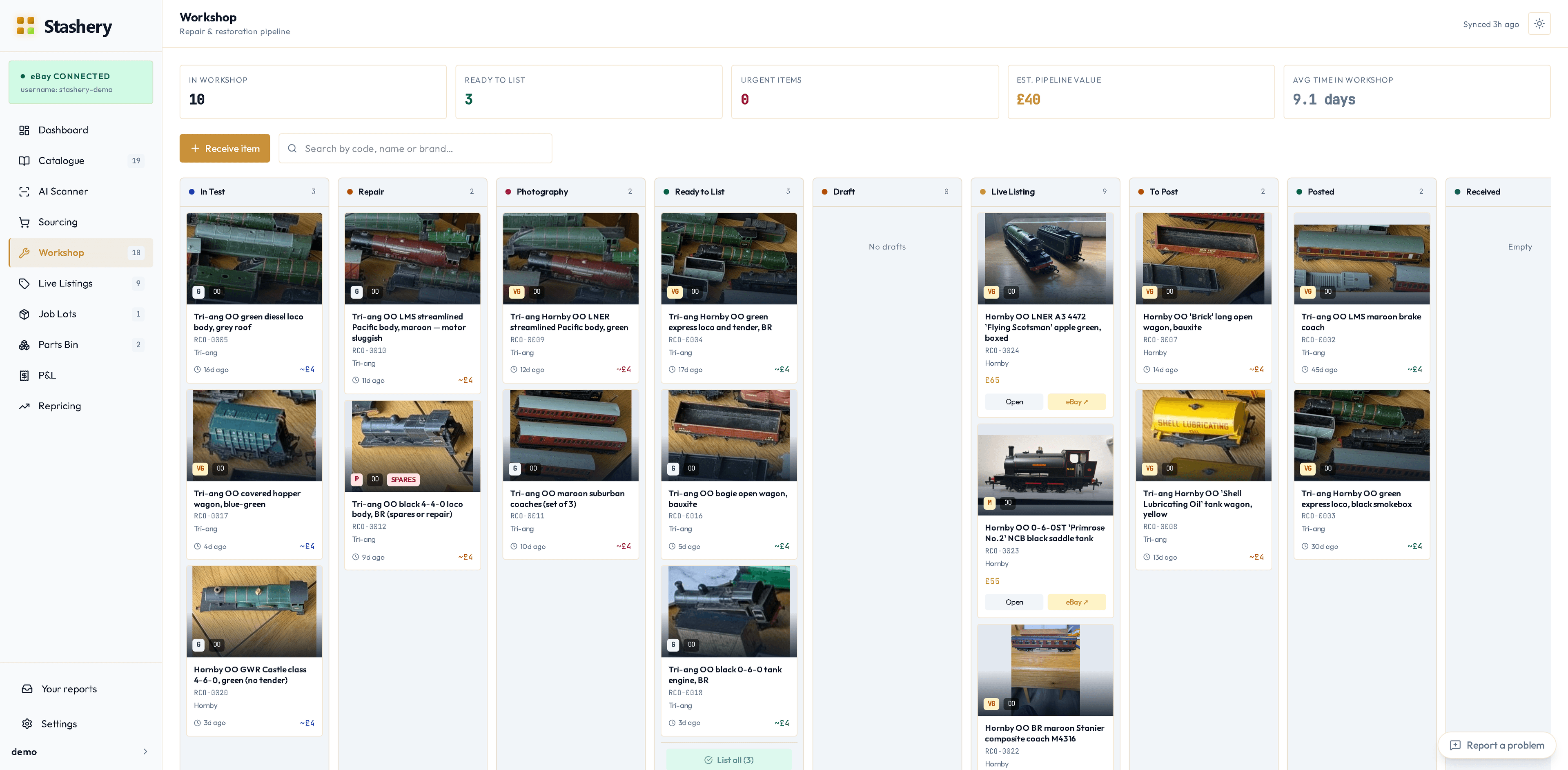
Steps
- Get the item to Ready to List in the Workshop: put it in In Test, run it, and mark Pass. (Spares, repairs and parts-only items skip the test — they're sold as non-working.) Move it through Photography if it needs better pictures.
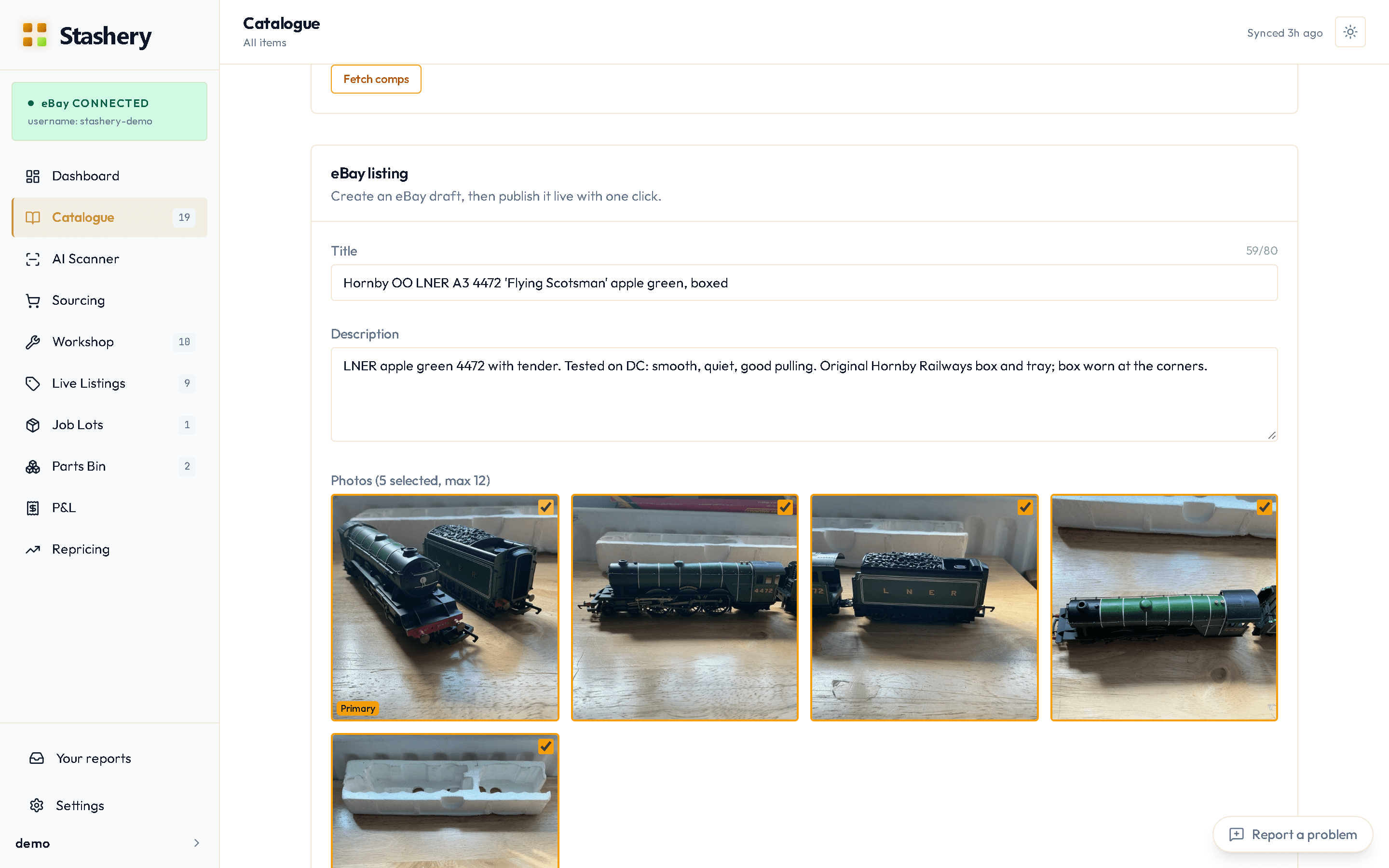
- Press List on eBay on its Workshop card, or open the item and scroll to eBay listing.
- Stashery pre-fills the title, condition, category, photos and the price from the comps recommendation. Check each one. The item specifics eBay requires for the category (Gauge, Brand, MPN and so on) are shown with what Stashery has filled from the item — anything still empty is marked required.
- Check the postage policy and the postage price it shows. This is what the buyer will be charged; Stashery shows the number rather than assuming. The policy starts on the one you used last time.
- Stashery also asks for the parcel size and weight (from v0.7.0) and tells eBay, so the buyer is charged the real postage: pick Large letter, Small parcel, Medium parcel or Larger / custom size, and type the Packed weight (g), including the box. Your postage price was prefilled from your own live listings when you first set up selling, where it could be.
- Press Save draft. Stashery sends the draft to eBay and tells you if eBay objected to anything (a missing item specific, a condition eBay doesn't allow for that category) in plain words.
- Press Publish to eBay, then Yes, publish live. The listing goes live; the Catalogue card shows Live with a View on eBay link.
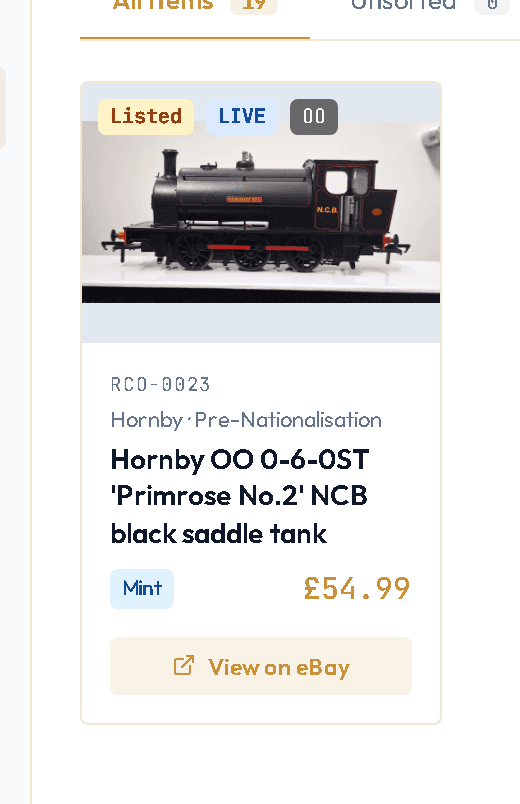
What you'll see
The listing appears in Live Listings with its price, the recommended price beside it, watchers, views and time left. If you want a short video on the listing (models running sell better), add one from the Composer on the Pro plan — Stashery converts it and attaches it for you. From v0.8.0, if the video did not reach eBay the listing is not published until it does, and the reason is shown.
Already on eBay? Link it
If you listed something on eBay yourself, open its item in Stashery and press Listed this on eBay yourself? Link the listing at the bottom of the page. Type the eBay item number (the 12 digits in the listing's address, or paste the whole link) and press Link; Stashery checks it's live on your account first. When eBay relists a listing Stashery published, the next sync recognises it by its SKU and keeps it on the same item. If a relist ever ends up as a second item, open it and choose More → This is a relist of another item… to merge it back into the original — the listing and any sale move across, and you see exactly what changes first.
If something goes wrong
- "Item specific X is missing."
- eBay's category requires it. It's highlighted in the Composer; pick or type a value and save again.
- "Condition not allowed for this category."
- Some eBay categories only accept New / Used / For parts. Stashery picks the closest valid one automatically, but if you've chosen something more specific, change it to one the panel offers.
- "Choose a parcel size" or "Enter the packed weight".
- Publishing needs both, so eBay offers the right postage label when it sells.
- The photos aren't on the eBay listing.
- Open the listing on eBay and check. If they're missing, press Save draft again from the Composer — it re-sends the photos — then Publish. If it happens twice, report it from the app's Report a problem button so we can see the listing.
- The listing shows the wrong postage.
- Change it in the Composer before publishing. If it's already live, edit the postage on eBay for that listing, or fix the policy in Settings › eBay → Selling setup so every future listing is right.
- eBay put it in the wrong category.
- From v0.8.0 the Composer warns when the category isn't a model-railway one and offers the right one, and Live Listings warns about a live listing outside the model-railway tree; Move to… on the item opens the Composer pre-set.
- I need to change the price after publishing.
- Use Reprice in Live Listings or Repricing — it changes the price on eBay directly without touching anything else on the listing.